You have not yet added any article to your bookmarks!
Join 10k+ people to get notified about new posts, news and tips.
Do not worry we don't spam!
Post by : Samjeet Ariff
The shift to remote work has become a lasting trend for numerous professionals. While this setup offers comfort and flexibility, an unoptimized workspace may lead to distractions, diminished productivity, and physical discomfort. The positive aspect is that establishing a productive home office doesn’t necessitate pricey furniture or high-tech equipment. By planning wisely, organizing efficiently, and opting for budget-conscious solutions, you can create a space that encourages focus, efficiency, and well-being without financial strain.
A thriving home office environment is more about efficiency than expense. Many individuals grapple with poor posture, clutter, noise distractions, and lack of motivation while working remotely. With small, deliberate adjustments, you can convert even the tiniest nook into a functional and motivating workspace. This article presents practical and economical ideas for work-from-home setups designed to enhance productivity while keeping expenditures low.
The cornerstone of an effective home office setup begins with finding the right spot.
Criteria for a workspace
• A quiet area with minimal interruptions
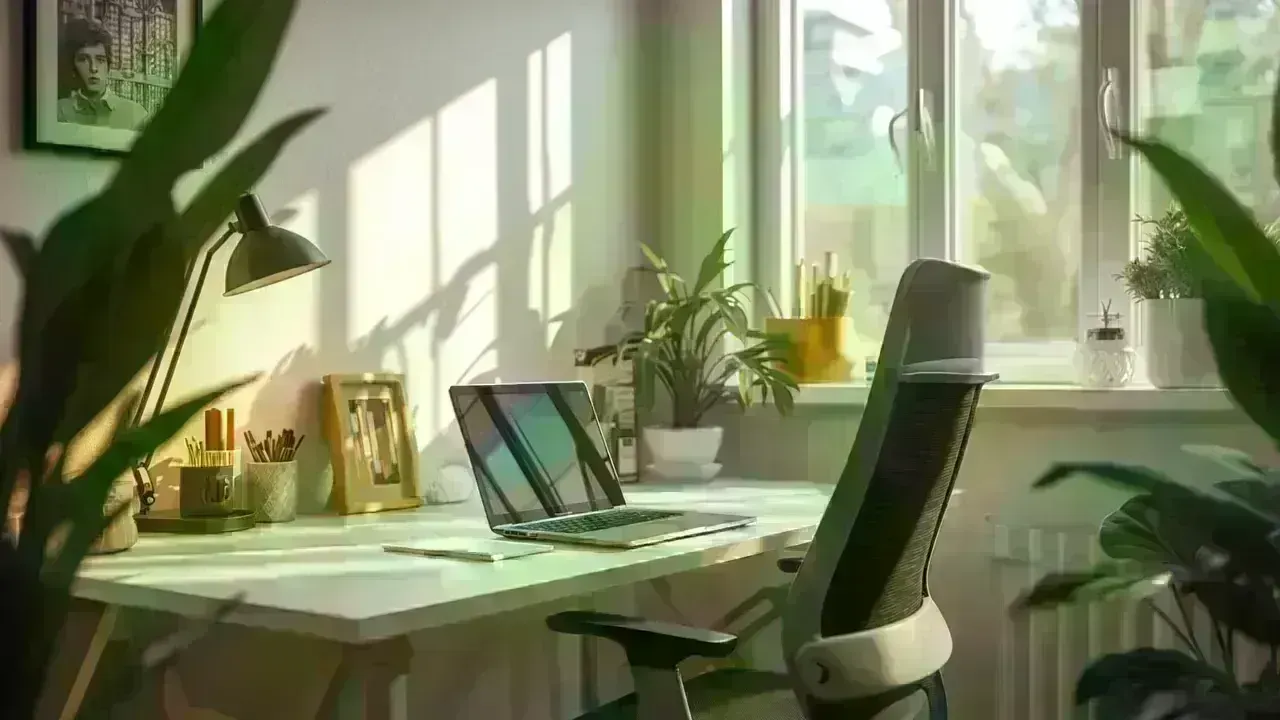
• Natural light access whenever possible
• Sufficient room for a desk and chair
Budget-savvy advice
You don’t need a dedicated room; a corner in the living room or bedroom can be effective if used consistently for work.
Establishing a dedicated workspace trains your mind to associate it with productivity.
A chair is crucial for your setup.
The significance of chair comfort
Sitting for prolonged periods in an uncomfortable chair can lead to back pain, neck strain, and reduced focus.
Cost-effective alternatives
• Use a dining chair with a solid cushion
• Add lumbar support using a cushion or rolled towel
• Adjust seat height with cushions if necessary
Good posture increases comfort and reduces fatigue, allowing for prolonged focus.
Efficiency doesn’t require an expensive designer desk.
Budget-friendly desk options
• Utilize an existing table or desk
• Repurpose a console or dressing table
• Ensure desk height is comfortable for typing
Desk organization tips
• Keep only essential items on the desk
• Store extras in drawers or boxes
• Avoid overcrowding the workspace
A tidy and minimalist desk enhances clarity of thought.
Lighting is vital for reducing eye strain and enhancing mood.
Optimizing lighting
• Set your desk near a window
• Aim to work during daylight hours
• Use an available desk lamp for focused light
Lighting tips
• Steer clear of harsh overhead lighting
• Ensure light doesn't create shadows on your screen
• Adjust screen brightness to match room light
Good lighting fosters alertness and minimizes headaches.
Disorganized cables can make your workspace feel chaotic.
Low-cost cable management tips
• Use ties or clips to group cords
• Route cables discreetly behind the desk
• Label chargers for easy identification
Well-organized cables contribute to a more polished workspace.
Ergonomics doesn’t need to be costly.
Simple ergonomic tweaks
• Elevate your screen to eye level with books
• Position keyboard and mouse at elbow level
• Keep feet flat on the floor or on a box
Such adjustments minimize strain on the neck, back, and wrists.
Noise is a frequent hurdle in home settings.
Affordable noise reduction ideas
• Use noise-canceling headphones if available
• Play soft music or white noise in the background
• Inform family about your work hours
Managing distractions allows for deeper focus during tasks.
A personal workspace boosts motivation.
Cost-effective personalization methods
• Introduce a small plant or greenery
• Showcase an inspiring quote or photograph
• Use a cherished mug as a pen holder
Personal touches create an inviting workspace without unnecessary expenses.
Appropriate storage maintains workspace organization.
Low-cost storage ideas
• Use old boxes, baskets, or containers
• Repurpose shelves already in your home
• Maximize vertical space for storage
An orderly storage system decreases clutter and conserves time.
Dependable internet connectivity is vital for productivity.
Ways to enhance your connection without extra costs
• Position the router closer to your workspace
• Minimize unnecessary connected devices
• Schedule heavy downloads outside of work hours
Reliable connectivity lessens frustration and interruptions.
A structured routine is crucial even with the best setup.
Routine tips
• Start work at the same time every day
• Take brief breaks hourly
• End each workday with a clear shutdown process
This routine instills discipline and consistency into remote work.
A tidy workspace fosters a productive mental space.
Daily habits
• Clear your desk at day’s end
• Wipe down surfaces regularly
• Organize papers and tools
Spending a few minutes daily tidying reduces stress.
Value-oriented tools can elevate efficiency.
Examples include
• Free task management software
• Digital calendar applications
• Note-taking tools
Utilizing effective tools alleviates mental load and enhances task management.
Not every work-from-home product is vital.
Common budget oversights
• Purchasing trendy gadgets without need
• Overdecorating the workspace
• Upgrading equipment prematurely
Prioritize functionality over aesthetics.
A well-conceived setup results in
• Enhanced focus and efficiency
• Improved posture and comfort
• Decreased stress and distractions
• Consistent performance
Thoughtful investments yield long-term benefits.
Crafting a productive home office doesn’t require a hefty investment. By selecting the right location, enhancing ergonomics through minor adjustments, maintaining desk organization, and implementing daily routines, you can significantly increase productivity without overspending. An intentional, clutter-free, and inviting workspace encourages better focus, healthier habits, and enhanced work performance. With careful planning, your home office can be both efficient and economical.
This article is intended for informational purposes. Individual productivity needs and comfort requirements may differ. Readers should tailor their work-from-home setups according to personal health factors, job responsibilities, and space availability.










Jordan Burroughs Returns to Wrestling with 2028 Olympic Dream
Jordan Burroughs returns to wrestling with Real American Freestyle as the Olympic champion eyes a po

Lamborghini Catches Fire on Singapore's ECP, Causing Heavy Traffic
A Lamborghini caught fire on Singapore's ECP, causing heavy traffic and bus delays. No injuries were

Bangkok Airport Duty-Free Area Flooded by Pipe Burst
A burst water pipe flooded the duty-free shopping area at Bangkok's Suvarnabhumi Airport on July 16,

Nine Monks Killed in Thailand Pickup Truck Tragedy
An 11-year-old boy driving a pickup truck crashed into monks during a pilgrimage in northeastern Tha

Anwar Congratulates Xi on CPC's 105th Anniversary
Malaysia reaffirms strong ties with China as PM Anwar Ibrahim sends a congratulatory letter to Presi

Thai Agriculture Team Reviews 2026 Farm Development Plans
Agriculture Ministry officials inspected livestock and organic rice projects in Nakhon Sawan to moni